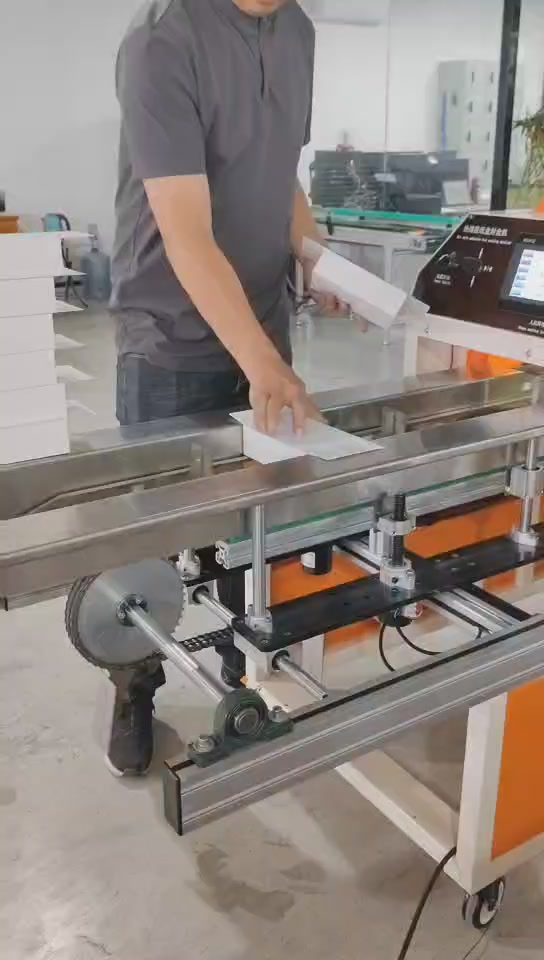
01 · 00:01
Load the flat, empty carton
An operator places a flat, empty carton between the feed rails at the start of the supplied sequence.
Match the box, glue seam and point of filling. If you need a machine for sealing after tissue filling, that process must be checked separately from the empty-carton demonstration.
Observed process · CK-E020-1
Choose a supplied factory step to review the actual carton handling sequence.
An operator places a flat, empty carton between the feed rails at the start of the supplied sequence.
Model shown: CK-E020-1
Four recorded moments
Still image selected. Clips load only when you choose Play.
An operator places a flat, empty carton between the feed rails at the start of the supplied sequence.
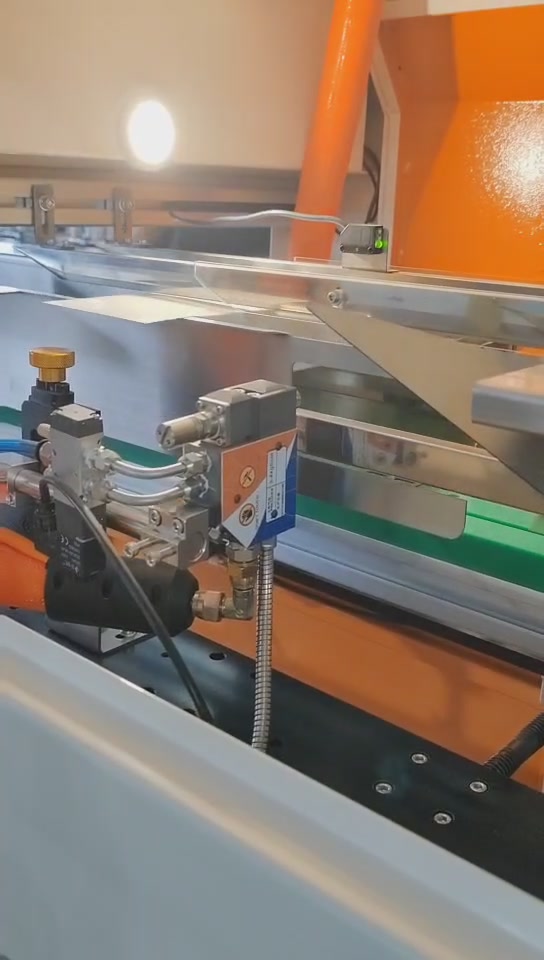
The carton moves through the processing and pressing area. This view records movement only; it does not establish bond strength.
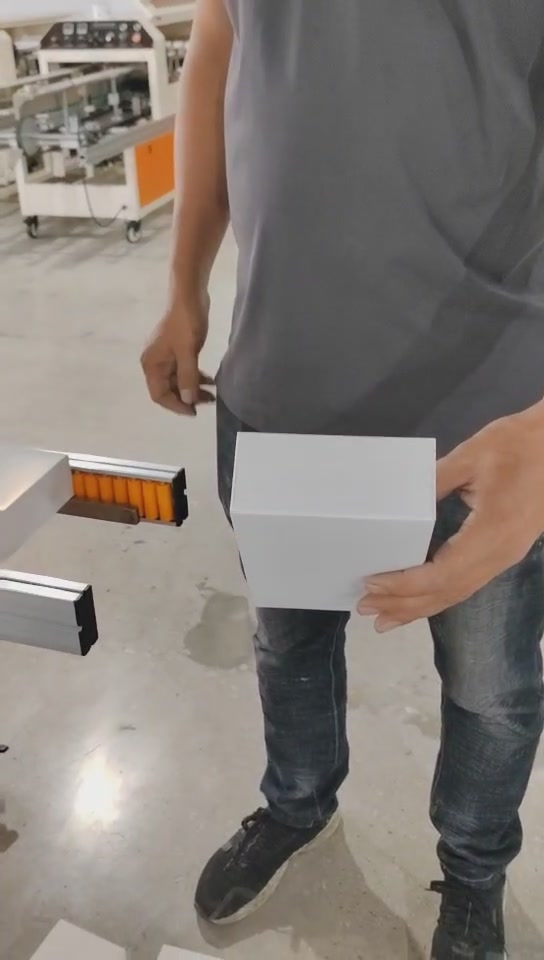
The operator presents the carton shape after the working sequence. It is a formed-carton view, not a filled-carton claim.
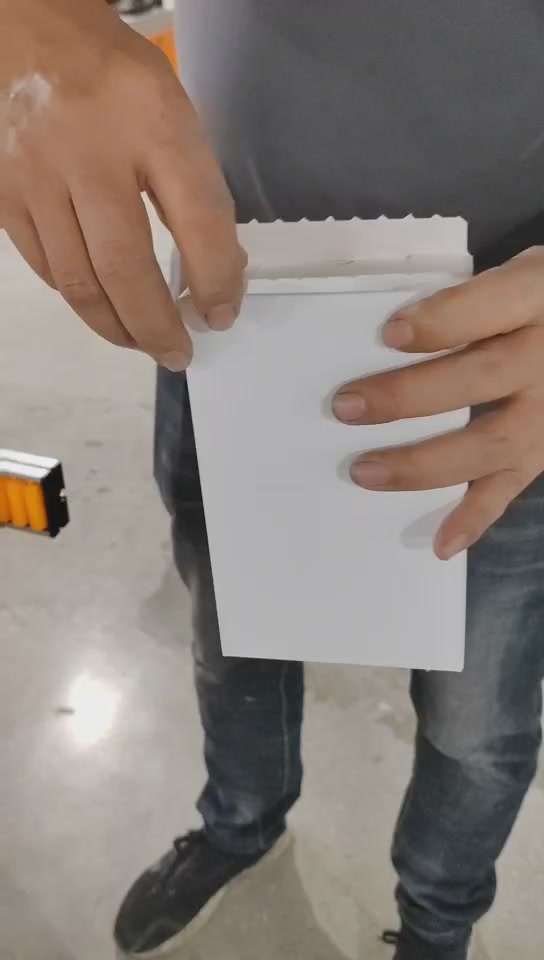
The carton edge is opened for a visual check of the adhesive location. The supplied footage does not test or quantify seal strength.
A 40-second view of CK-E020-1: flat, empty carton loading, conveying and pressing, then the formed carton and adhesive location.
The footage does not demonstrate sealing after tissue filling or measure bond strength. Those questions need your actual carton.
See machine specifications →The operator loads a flat, empty carton between the feed rails. The video shows the control panel, conveying and actuator motion, followed by pressing. The formed empty carton is presented and the edge opened to expose the adhesive location. This is a visual inspection, not a bond-strength test. Catalogue values are not measured by this video.
The supplied demonstration starts with a flat, empty carton. It does not show a tissue-filled retail box being sealed. Mark the filling point and glue seam on your process sketch before comparing configurations.
For cube tissue boxes, confirm dimension axes and feed orientation. The E020/E022 nominal third dimension is 30–90 mm; a name or photograph is not enough to establish fit.
CK-E020-1 fit and operating conditions →Compare the glue path, format range, utilities and handoff with your current setup. A similar model size does not make it a drop-in replacement.
Review an existing line →Identify what the machine can handle and where loading, collection and inspection still need an operator. These six configurations are semi-automatic.
Plan the operating steps →Open and closed photos, a dieline, board/coating, glue seam and dimensions with feed direction marked.
Does the carton enter empty or filled? Show the flap sequence, operator handoff and the step you want the machine to perform.
Check the glue system, utilities and layout. Define a sample trial and stable-output target before deciding on the machine.
Swipe the table to compare all columns.
| Model | Glue system | Carton range, mm* | Nominal cartons/min |
|---|---|---|---|
| CK-E020-1 | Spray glue | 100–300 × 60–200 × 30–90 | 40–70 |
| CK-E020 | Roller glue | 110–290 × 60–200 × 30–90 | 40–70 |
| CK-E022-1 | Spray glue | 100–300 × 80–250 × 30–90 | 60–90 |
| CK-E022 | Roller glue | 110–290 × 80–200 × 30–90 | 60–90 |
| CK-E025-1 | Spray glue | 100–250 × 30–150 × 20–50 | 30–60 |
| CK-E025 | Roller glue | 100–250 × 30–150 × 20–50 | 30–50 |
*Dimensions are in catalogue order, not an automatic fit decision. Confirm axes, feed direction, flap layout and carton state. Nominal output is not a guaranteed stable production rate.
No. The supplied video begins with a flat, empty carton and shows conveying, pressing and a formed carton. Sealing after tissue filling requires a separate fit check.
Do not infer compatibility from the product name. Confirm the dimension axes, feed direction and flap layout; the E020/E022 catalogue third-dimension range is 30–90 mm. A cube format needs its own review.
Start with the current carton, adhesive seam, infeed/outfeed layout, utilities and the problem you want to solve. Compare the proposed configuration and agree a sample trial. No drop-in compatibility is implied.
In the CK-E020-1 footage, an operator loads a flat, empty carton and later handles and inspects it. Loading, collection, changeover and staffing for your process must be established with the selected model; no labour saving is promised.
Tell us about your carton and line. We’ll review the requirements with you.
You can send photos or a dieline by email after submitting.